
Introduction
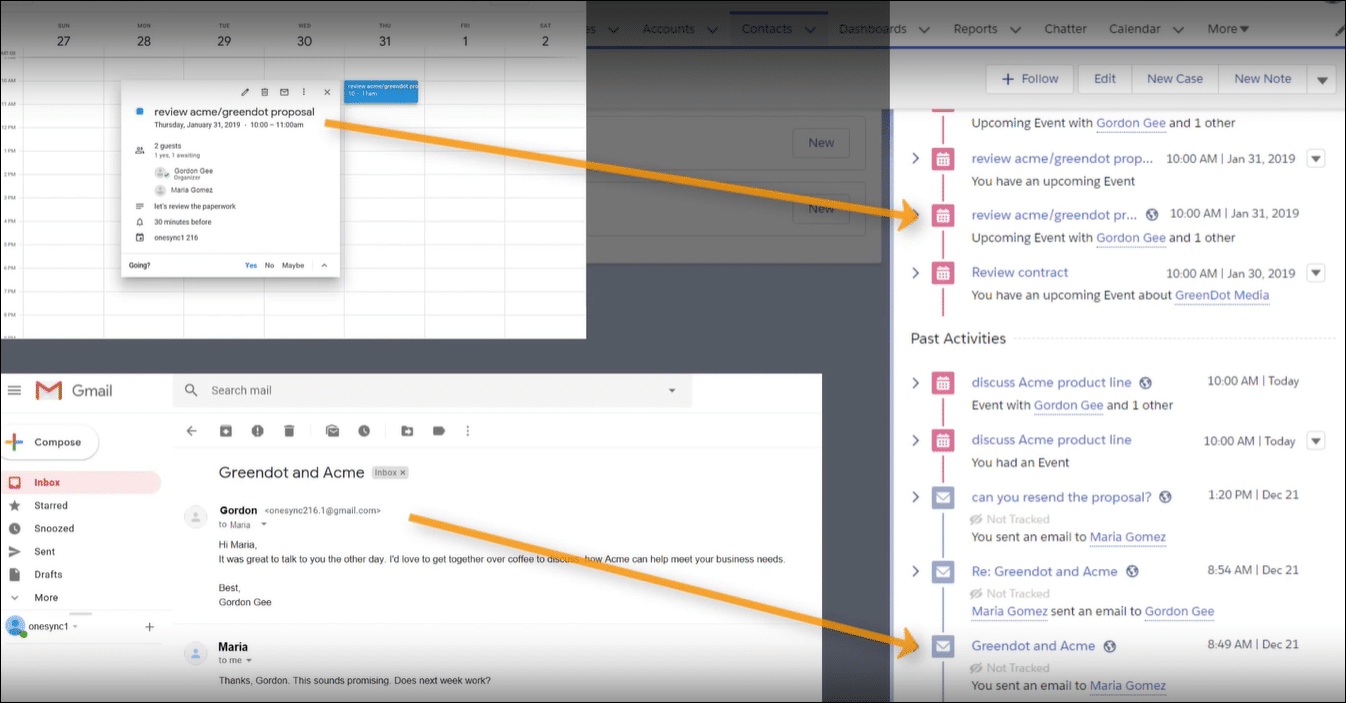
Syncing contacts using Einstein Activity Capture can be a real head-scratcher. Many admins face issues where contacts don't load automatically on phones. The setup seems straightforward, but small misconfigurations often cause big problems. This article explains the common hurdles and guides you on how to fix the issue step by step.
Real-world Experience
Consider a case where a user faces persistent syncing problems despite following basic setup instructions.
I've been trying to get all my Contacts to sync automatically to my phone. I even connected my Outlook account to Einstein Activity Capture, but my contacts still won't show up.
This situation is common among users who rely on Einstein Activity Capture, showing that many experience gaps between expected and actual performance.
Einstein Activity Capture Solution
The issue often boils down to proper configuration. Start by checking the sync settings for contacts in Einstein Activity Capture. Look for missed configurations between Salesforce and your connected Outlook account. Make sure each step in the setup is completed and correct. Below are the steps needed to resolve this issue:
Review Contact Sync Settings
Go to the Salesforce Setup menu and search for Einstein Activity Capture. Check the contact sync options and ensure that syncing is enabled for contacts. This step confirms that the basic settings are correctly applied.
Verify Outlook Integration
Ensure that your Outlook account is properly connected. In Salesforce, open the integration settings for Einstein Activity Capture. Confirm that your Outlook sync configuration is active and that permissions are granted. This establishes a solid link between Outlook and Salesforce.
Test and Validate Sync
After confirming settings, run a sync test. Check if new or updated contacts appear in both Salesforce and Outlook. This step verifies that changes are effective and that the issue is resolved.
Limitations to Consider
While these steps should help, the solution may not cover all integration quirks. Sometimes, sync delays or partial updates are observed, and occasional manual reviews may be necessary to ensure continuous performance.
Alternative Solution
It can be very frustrating when Einstein Activity Capture doesn't sync your contacts as expected. DryMerge offers a different approach that may work better for you. DryMerge is an AI-native app that works with Salesforce and your Outlook account to keep your information updated reliably. It checks your emails, calendars, and contacts and then picks out the details that need to go into Salesforce. DryMerge takes care of issues like multiple email accounts and duplicate entries, giving you a more steady flow of accurate data. Its smart system focuses on the information that matters most to your needs, helping you avoid many of the common syncing problems.
EAC vs. DryMerge Comparison
| Feature | Einstein Activity Capture | DryMerge |
|---|---|---|
| Custom Object Sync | Automatic sync to custom objects isn't supported | Emails, calendar events, and anything else can be synced to your custom objects in Salesforce |
| Email Attachments | Attachments are not captured or saved to Salesforce | Email attachments are captured and saved in Salesforce however you need |
| Multiple Email Accounts | Cannot connect to both Gmail and Outlook simultaneously | Connects to both Gmail and Outlook simultaneously |
| Unstructured Data Processing | Limited ability to extract and organize meaningful data from unstructured email content | AI processing of unstructured email content to extract key details and create structured records |
| Data Enrichment | Basic activity logging with minimal data enrichment capabilities | Intelligent enrichment that pulls contact details, action items, and key insights from communication data |
By addressing these key limitations of Einstein Activity Capture, DryMerge offers a comprehensive solution that empowers your team with superior data handling capabilities. From intelligent processing of unstructured data to advanced enrichment features, DryMerge transforms your communication data into actionable insights while providing the flexibility to work with custom objects and multiple email accounts.
Tired of Einstein Activity Capture issues?
We'd love to show you how DryMerge handles emails, calendar events, and unstructured data extraction more reliably and accurately than Einstein Activity Capture.